# WorkTimer
 Time tracking app built with Remix, supports authentication, projects management, and monthly or custom reports.
Built for self-hosting: host it anywhere you want, and use it for free. Your time, your data.
## Table of contents
- [Features](#features)
- [Pre-built Docker image](#pre-built-docker-image)
- [Docker compose](#docker-compose)
- [Custom deployments or development](#custom-deployment-or-development)
- [Tech stack](#tech-stack)
- [Running locally](#running-locally)
- [Running with Docker](#running-with-docker)
- [Screenshots](#screenshots)
- [License](#license)
## Features
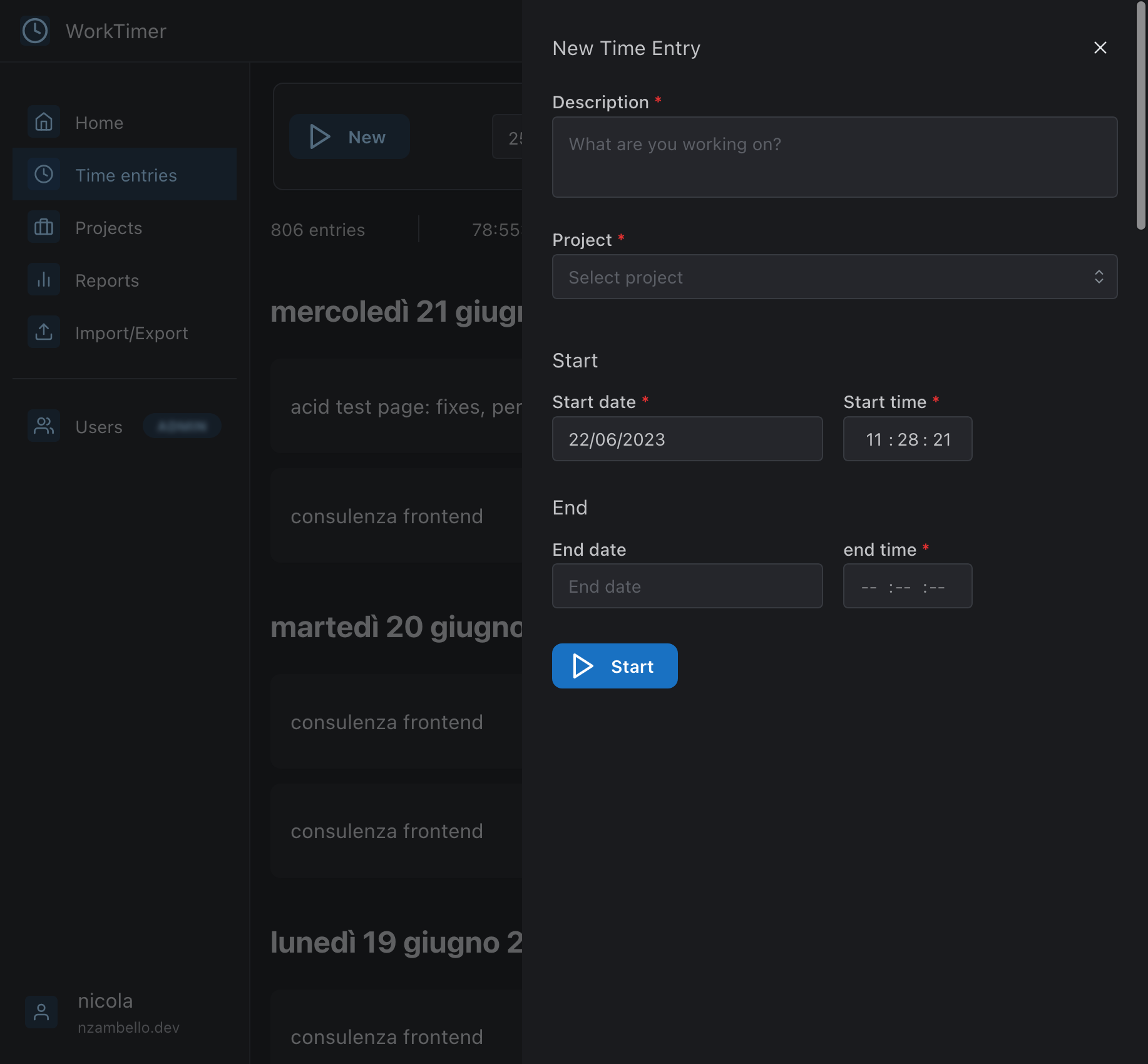
- Time entries management
- Authentication
- Multi-user support, with admin role
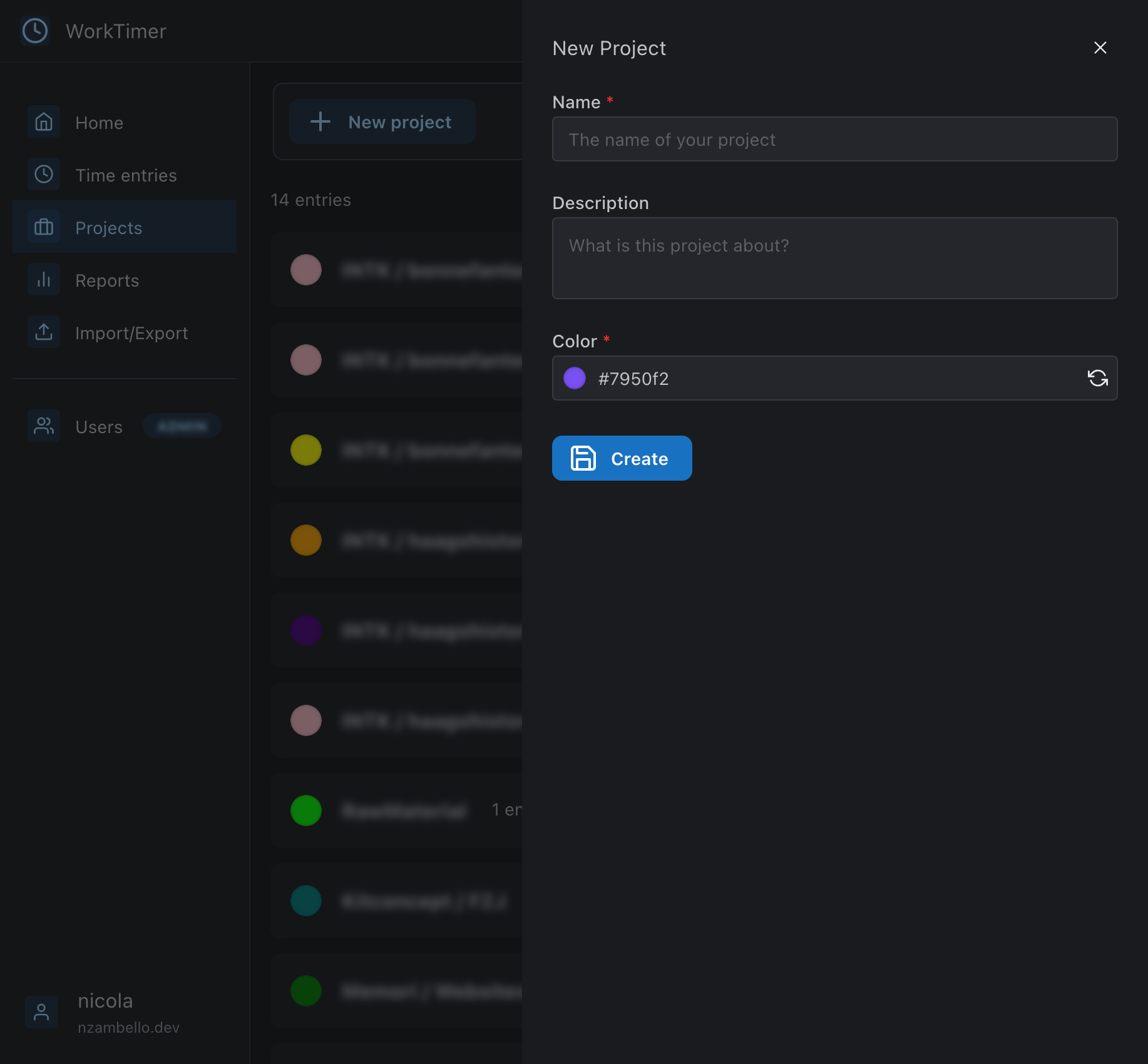
- Projects management
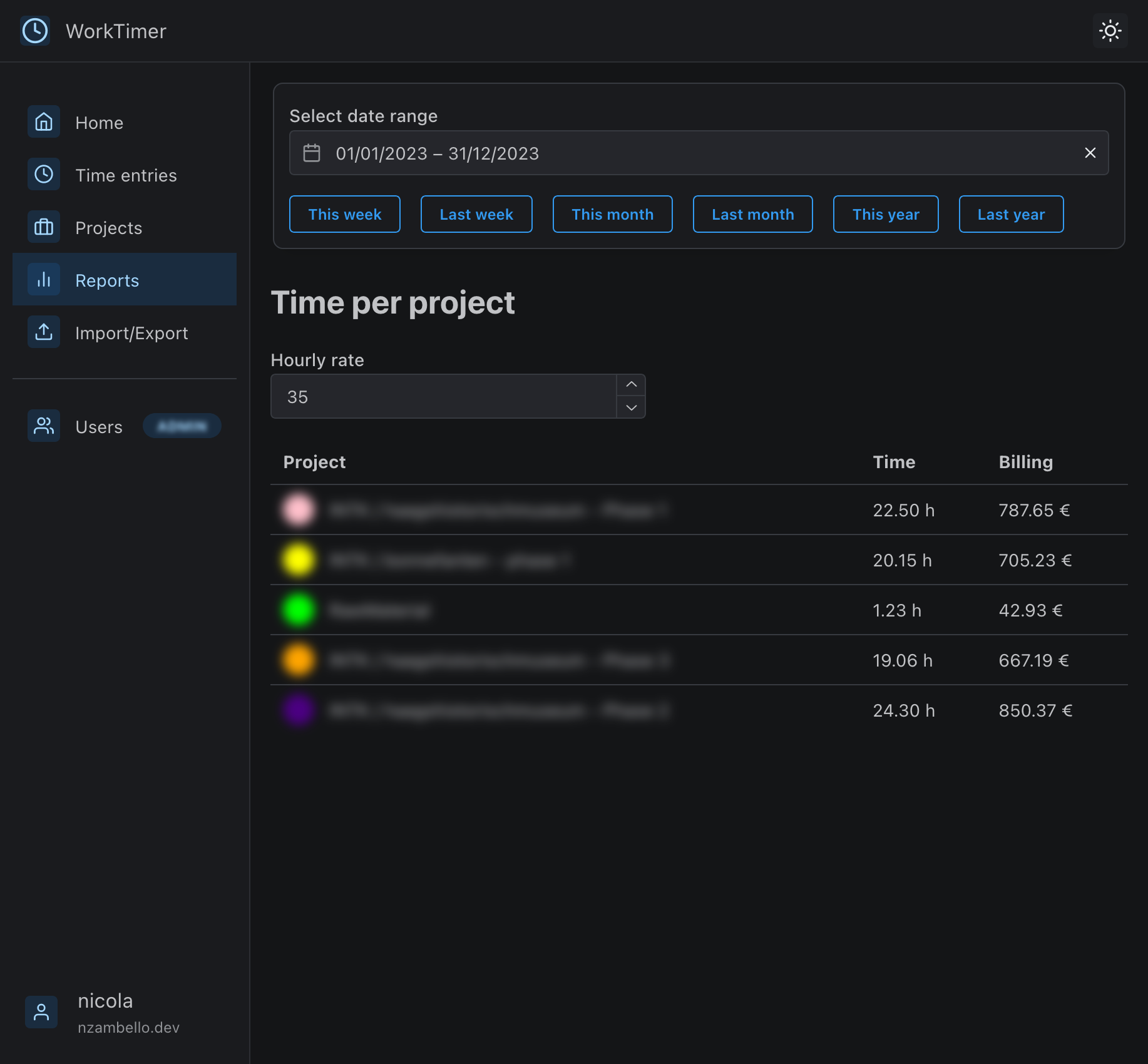
- Monthly or custom reports
- Import/Export to CSV
[Screenshots](#screenshots)
## Pre-built Docker Image
```bash
docker pull nzambello/work-timer
```
If you want to use the pre-built Docker image, you can run it with:
```bash
docker run -d -p 8080:8080 -v /path/to/data:/data/data.db nzambello/work-timer
```
If you want to use different defaults, you can build your own image. See [Running with docker](#running-with-docker)
### Docker compose
Example of docker-compose.yml with [Traefik](https://traefik.io/) as reverse proxy:
```yaml
work-timer:
depends_on:
- watchtower
image: nzambello/work-timer
container_name: work-timer
restart: always
volumes:
- /dockerData/work-timer:/data # Path to data for DB persistence
labels:
- 'com.centurylinklabs.watchtower.enable=true'
- 'traefik.enable=true'
- 'traefik.http.routers.work-timer.rule=Host(`timer.YOURDOMAIN.com`)'
- 'traefik.http.routers.work-timer.entrypoints=websecure'
- 'traefik.http.routers.work-timer.tls.certresolver=letsencrypt'
- 'traefik.http.routers.work-timer.service=work-timer-service'
- 'traefik.http.services.work-timer-service.loadbalancer.server.port=8080'
```
## Custom deployment or development
### Tech Stack
- [Remix](https://remix.run)
- [Prisma](https://prisma.io)
- [SQLite](https://sqlite.org)
- [Mantine](https://mantine.dev)
- [Docker](https://docker.com)
### Running Locally
```bash
# Clone the repo
git clone https://github.com/nzambello/work-timer.git
cd work-timer
# Install dependencies
yarn install
# Setup .env
cp .env.example .env
vim .env
# Start the app
yarn dev
```
### Running with Docker
```bash
# Clone the repo
git clone https://github.com/nzambello/work-timer.git
cd work-timer
# Setup .env
cp .env.example .env
vim .env
# Build the image
docker built -t work-timer .
# Start the app
docker run -p 127.0.0.1:8080:8080 work-timer
```
## Screenshots
### Light / Dark mode
Time tracking app built with Remix, supports authentication, projects management, and monthly or custom reports.
Built for self-hosting: host it anywhere you want, and use it for free. Your time, your data.
## Table of contents
- [Features](#features)
- [Pre-built Docker image](#pre-built-docker-image)
- [Docker compose](#docker-compose)
- [Custom deployments or development](#custom-deployment-or-development)
- [Tech stack](#tech-stack)
- [Running locally](#running-locally)
- [Running with Docker](#running-with-docker)
- [Screenshots](#screenshots)
- [License](#license)
## Features
- Time entries management
- Authentication
- Multi-user support, with admin role
- Projects management
- Monthly or custom reports
- Import/Export to CSV
[Screenshots](#screenshots)
## Pre-built Docker Image
```bash
docker pull nzambello/work-timer
```
If you want to use the pre-built Docker image, you can run it with:
```bash
docker run -d -p 8080:8080 -v /path/to/data:/data/data.db nzambello/work-timer
```
If you want to use different defaults, you can build your own image. See [Running with docker](#running-with-docker)
### Docker compose
Example of docker-compose.yml with [Traefik](https://traefik.io/) as reverse proxy:
```yaml
work-timer:
depends_on:
- watchtower
image: nzambello/work-timer
container_name: work-timer
restart: always
volumes:
- /dockerData/work-timer:/data # Path to data for DB persistence
labels:
- 'com.centurylinklabs.watchtower.enable=true'
- 'traefik.enable=true'
- 'traefik.http.routers.work-timer.rule=Host(`timer.YOURDOMAIN.com`)'
- 'traefik.http.routers.work-timer.entrypoints=websecure'
- 'traefik.http.routers.work-timer.tls.certresolver=letsencrypt'
- 'traefik.http.routers.work-timer.service=work-timer-service'
- 'traefik.http.services.work-timer-service.loadbalancer.server.port=8080'
```
## Custom deployment or development
### Tech Stack
- [Remix](https://remix.run)
- [Prisma](https://prisma.io)
- [SQLite](https://sqlite.org)
- [Mantine](https://mantine.dev)
- [Docker](https://docker.com)
### Running Locally
```bash
# Clone the repo
git clone https://github.com/nzambello/work-timer.git
cd work-timer
# Install dependencies
yarn install
# Setup .env
cp .env.example .env
vim .env
# Start the app
yarn dev
```
### Running with Docker
```bash
# Clone the repo
git clone https://github.com/nzambello/work-timer.git
cd work-timer
# Setup .env
cp .env.example .env
vim .env
# Build the image
docker built -t work-timer .
# Start the app
docker run -p 127.0.0.1:8080:8080 work-timer
```
## Screenshots
### Light / Dark mode
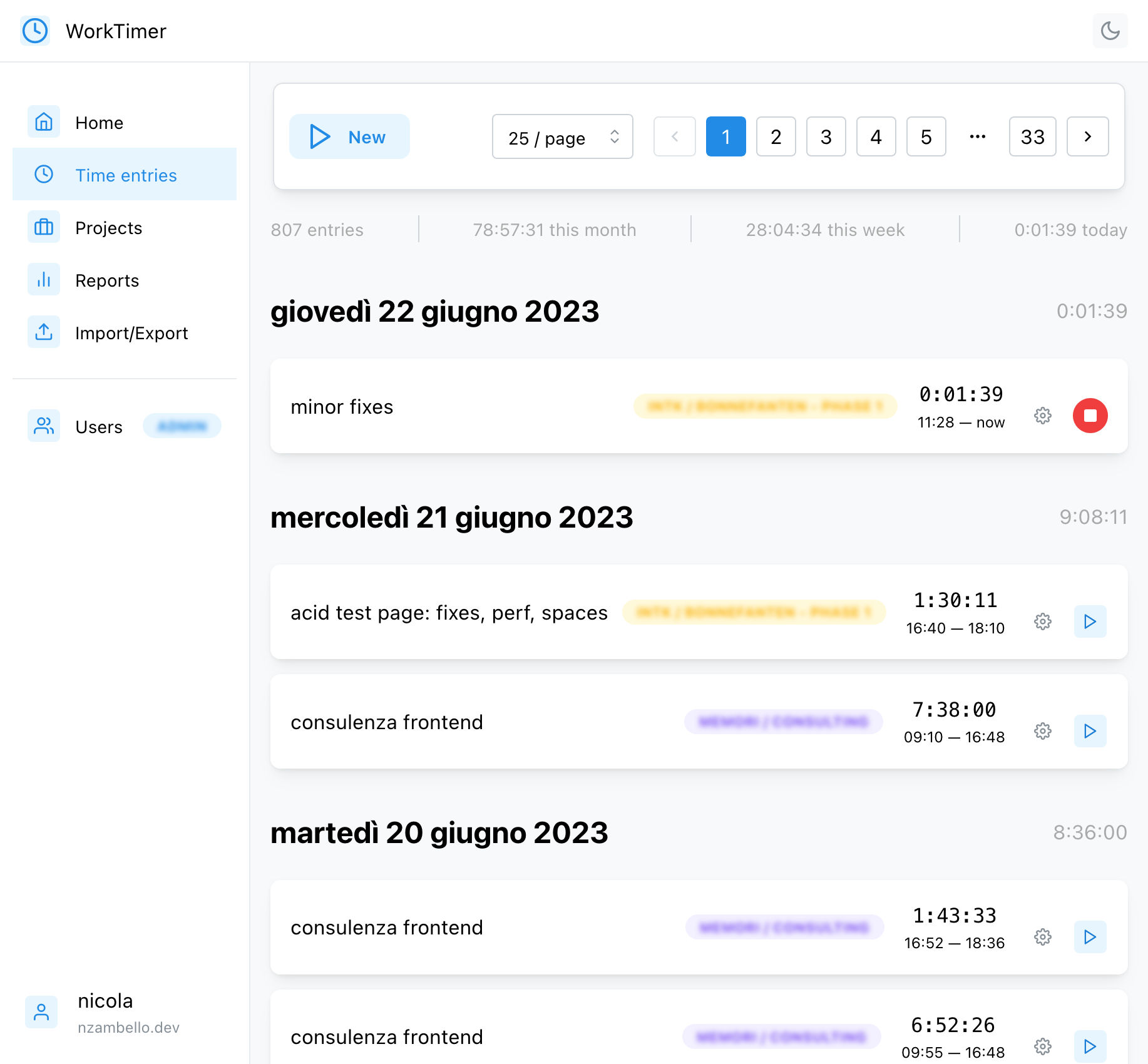
 ### Time tracking
 ### Projects

 ### Reports
 ## License
[Nicola Zambello](https://github.com/nzambello) © 2023
[GNU GPLv3](./LICENSE)
## License
[Nicola Zambello](https://github.com/nzambello) © 2023
[GNU GPLv3](./LICENSE)